Networking
Begineer Friendly
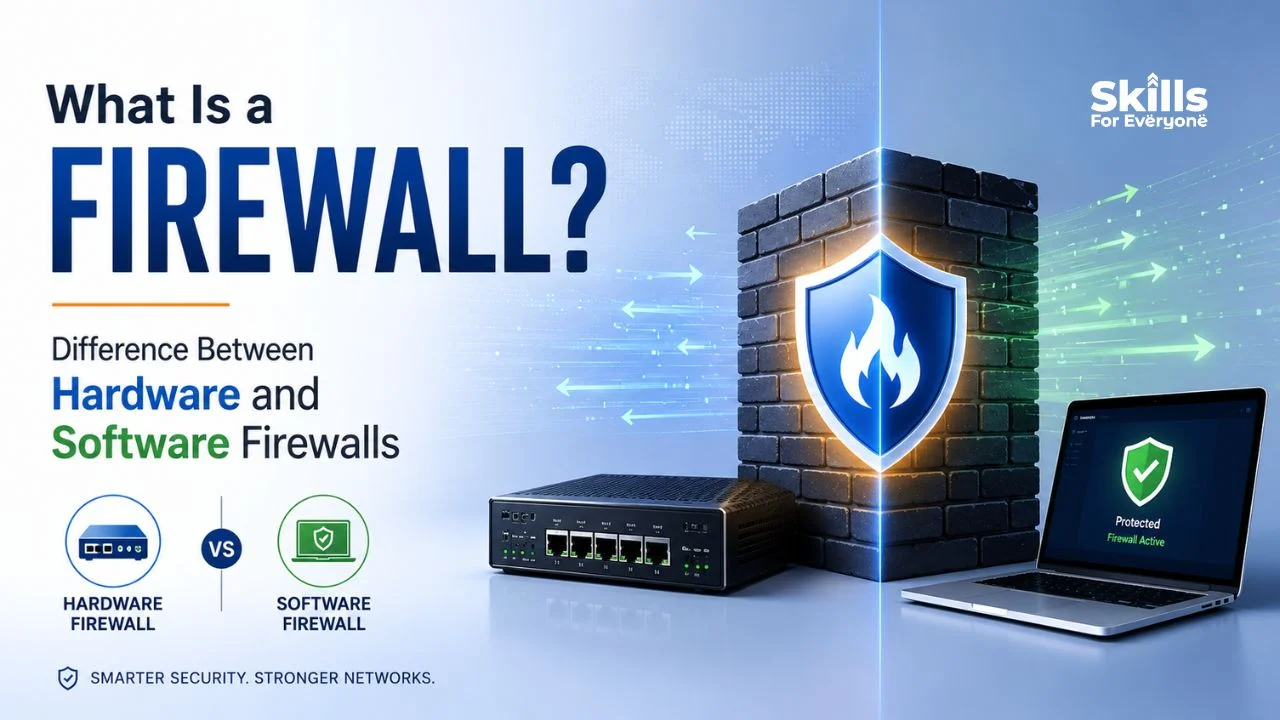
A firewall is the digital gatekeeper that decides which traffic gets in and which gets turned away. Whether you are protecting a home laptop or an enterprise data center, firewalls remain one of the oldest and most reliable tools in cybersecurity. This guide breaks down exactly what a firewall does, how it works, and the practical differences between hardware and software firewalls so you can make an informed decision for your own network.
What Is a Firewall
A firewall is a network security device or program that monitors incoming and outgoing traffic and decides whether to allow or block it based on a defined set of security rules. Its core purpose is simple: keep unauthorized users, malicious traffic, and harmful data out while letting legitimate communication flow through.
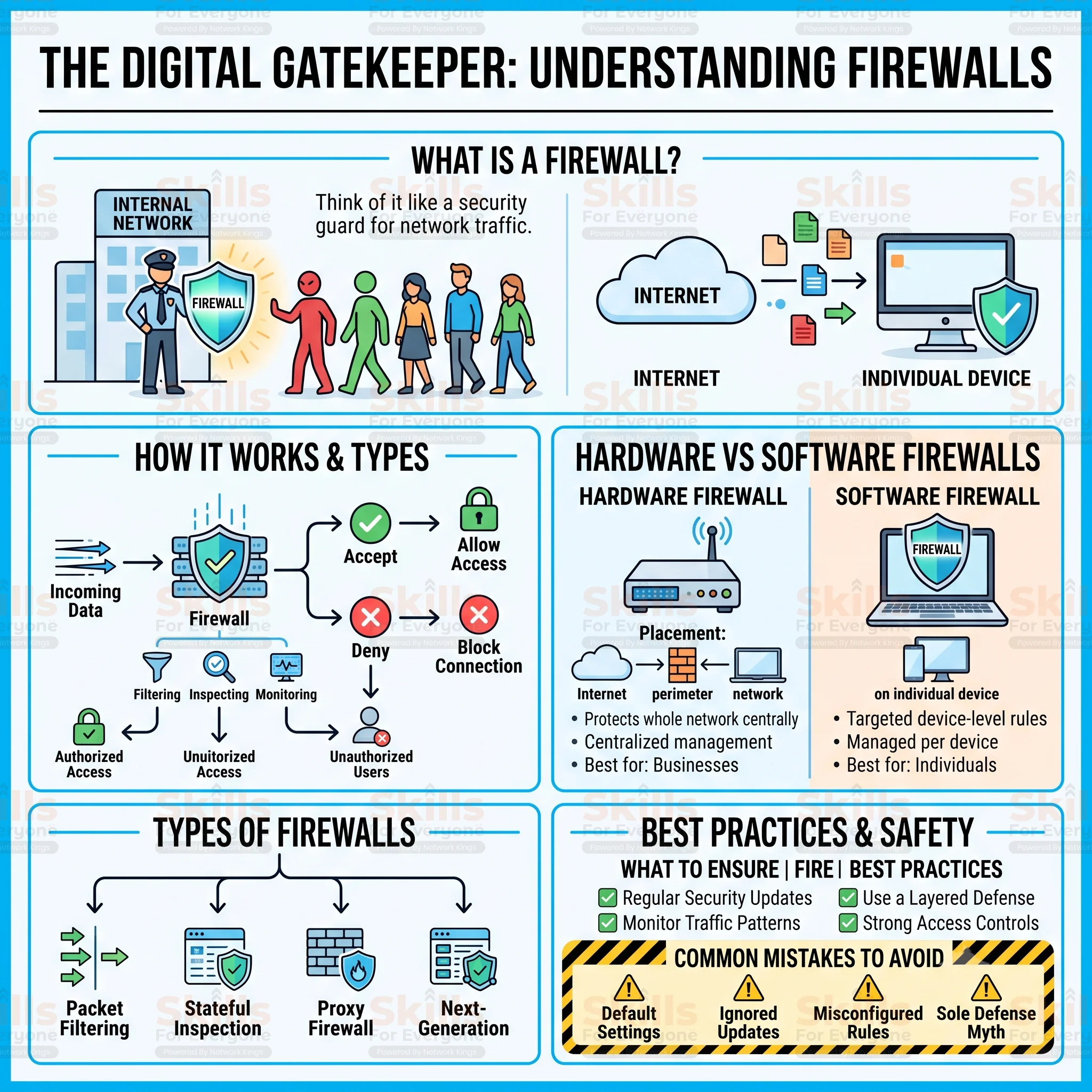
Think of a firewall like a security guard stationed at the entrance of a building. The guard checks identification, consults a list of approved visitors, and stops anyone who looks suspicious. A firewall does the same thing for data packets traveling across a network, inspecting each one against a rulebook before granting or denying passage.
Organizations use firewalls because networks are constantly exposed to the open internet, where threats never stop probing for weaknesses. Without this protective layer, an attacker could access internal systems, steal sensitive data, or plant malware almost effortlessly. A properly configured firewall closes that gap and gives administrators visibility into what is actually happening on their network.
How Does a Firewall Work
A firewall examines every packet of data that travels across a network. It compares the traffic against predefined security policies before making a decision.
Its core functions include:
Inspecting incoming and outgoing traffic
Applying packet filtering rules
Monitoring network activity
Allowing or blocking connections
Preventing unauthorized access
Detecting suspicious behavior
Modern cybersecurity firewall solutions often include advanced features such as intrusion prevention, application awareness, deep packet inspection, and threat intelligence to identify sophisticated cyberattacks before they reach internal systems.
Types of Firewalls
Firewalls come in several forms, each suited to different environments and threat levels.
A packet filtering firewall examines basic packet headers, checking source and destination addresses against simple rules. It is fast and lightweight but offers limited depth of inspection.
A stateful inspection firewall tracks the state of active connections, remembering previous packets to make smarter decisions about new ones. This improves accuracy compared to basic packet filtering.
A proxy firewall acts as an intermediary between users and the internet, fully inspecting traffic at the application layer before forwarding it. This adds strong protection but can introduce latency.
A next-generation firewall, often called an NGFW, combines traditional filtering with intrusion prevention, deep packet inspection, and application awareness, making it a popular choice for modern enterprise cybersecurity.
Hardware and software firewalls describe how the firewall is deployed rather than how it filters traffic, and both are explored in detail below.
Hardware Firewall
A hardware firewall is a dedicated device installed at the network perimeter. It filters traffic before it reaches connected computers, making it an excellent choice for organizations that need centralized security.
Advantages include:
Protects multiple devices simultaneously
High network performance
Centralized management
Better suited for enterprise environments
Strong perimeter security
Limitations include:
Higher initial cost
Requires proper configuration
Less portable than software solutions
Hardware firewall solutions are commonly used by medium-sized businesses, enterprises, educational institutions, and data centers.
Software Firewall
A software firewall is a program installed directly on an individual device, such as a laptop, desktop, or server, that monitors traffic specific to that machine. Windows Firewall and macOS firewall are common examples most people already have running without realizing it.
Because it runs on the device itself, a software firewall can apply highly specific rules to individual applications, which is useful for stopping a single compromised program from communicating outward. It is also typically free or low cost and simple to install, making it accessible for personal use.
The downside is that software firewalls consume some of the device's own processing resources and must be installed and updated separately on every machine. They are best suited for individual users, remote workers, and small setups where centralized hardware protection is not practical or necessary.
Hardware vs Software Firewall
Factor | Hardware Firewall | Software Firewall |
Installation | Installed at network perimeter | Installed on individual device |
Cost | Higher upfront cost | Often free or low cost |
Performance | Strong, dedicated resources | Uses device's own resources |
Security | Protects entire network centrally | Protects a single device |
Scalability | Easily scales for many devices | Must be installed per device |
Maintenance | Requires IT expertise | Simple, user-friendly updates |
Management | Centralized management console | Managed per device |
Best users | Businesses and organizations | Individuals and remote workers |
Flexibility | Less granular per app control | Highly granular per app control |
Speed | Fast under heavy network load | Can slow individual device |
Protection level | Broad, network-wide protection | Focused, device-level protection |
In short, a hardware firewall protects everything connected to a network from one central point, while a software firewall protects one device with fine-tuned control. Most well-secured environments actually use both, layering network-wide protection with device-specific rules for a more complete defense.
Advantages of Using Firewalls
Firewalls deliver several concrete security benefits. They block malware and viruses from communicating with command and control servers, prevent unauthorized users from accessing internal systems, and protect sensitive data such as customer records and financial information.
For remote work, firewalls extend protection to employees connecting from home networks or public Wi-Fi, reducing the attack surface created by distributed teams. They also support regulatory compliance by enforcing access controls required under standards like HIPAA or PCI DSS, and they give administrators valuable visibility into network traffic patterns that can reveal early signs of a breach.
Limitations of Firewalls
Despite their importance, firewall advantages come with certain limitations.
Firewalls cannot completely prevent:
Phishing emails
Weak or reused passwords
Insider threats
Social engineering attacks
Human mistakes
Users downloading malicious files voluntarily
This is why cybersecurity experts recommend a layered security strategy that combines firewalls with endpoint protection, identity management, backups, and continuous monitoring.
Best Firewall for Home vs Business
Home users generally do well with the software firewall built into their operating system combined with the basic firewall included in most modern routers, since personal networks involve fewer devices and lower risk exposure.
Small businesses typically benefit from a dedicated hardware firewall at the network edge paired with software firewalls on individual workstations, giving both centralized control and device-level flexibility without enterprise-level complexity.
Large enterprises usually require next-generation firewalls with advanced threat intelligence, deep packet inspection, and centralized management across multiple locations, since the scale of their infrastructure and the value of their data demand more sophisticated protection.
Common Firewall Mistakes
Many security incidents trace back to avoidable firewall mistakes. Leaving default settings unchanged, including default passwords and factory rule sets, gives attackers an easy entry point that is well documented online.
Ignoring firmware and software updates leaves known vulnerabilities unpatched, while misconfigured rules, such as overly broad permissions, can accidentally expose internal systems to the public internet. Allowing unnecessary open ports increases the attack surface without adding any real functionality, and a lack of ongoing monitoring means suspicious activity can go unnoticed for weeks. Finally, treating a firewall as the only layer of defense, rather than part of a broader layered security strategy, remains one of the most common and costly mistakes organizations make.
Conclusion
Understanding what a firewall is and how it functions gives you a real foundation for protecting any network, whether it belongs to a household, a small business, or a global enterprise. Hardware firewalls offer centralized, network-wide defense, while software firewalls provide precise, device-level control, and the strongest security posture typically combines both.
No firewall can guarantee complete protection on its own, which is why pairing it with strong passwords, regular updates, and employee awareness training matters just as much as the technology itself. Take a moment to review your current firewall setup today, because in a threat landscape that evolves daily, proactive network security is always better than reacting after a breach has already happened.
FAQs
What is a firewall?
A firewall is a security device or program that monitors and controls network traffic based on predefined rules. It acts as a barrier between trusted internal networks and untrusted external sources, blocking unauthorized access while allowing legitimate communication through.
How does a firewall work?
A firewall inspects data packets traveling in and out of a network, checking details like source, destination, and port against its rule set. Packets that match approved rules pass through, while suspicious or unauthorized traffic gets blocked automatically.
What is the difference between hardware and software firewalls?
A hardware firewall is a physical device that protects an entire network from one central point, while a software firewall is a program installed on a single device. Hardware firewalls suit organizations, while software firewalls suit individual users.
Do I need both hardware and software firewalls?
Yes, using both provides layered protection. A hardware firewall guards the network perimeter while software firewalls add device-specific control, so if one layer is bypassed the other still offers a meaningful barrier against threats.
Is Windows Firewall enough?
Windows Firewall provides solid baseline protection for a single device but is not a complete security solution. It should be paired with safe browsing habits, updated antivirus software, and ideally a router or hardware firewall for full network coverage.
Can a firewall stop hackers?
A firewall can stop many common attack attempts, such as unauthorized access and malicious traffic, but it cannot stop every technique. Sophisticated attackers using phishing or stolen credentials may still bypass firewall protection entirely.