Networking
Begineer Friendly

Beginner
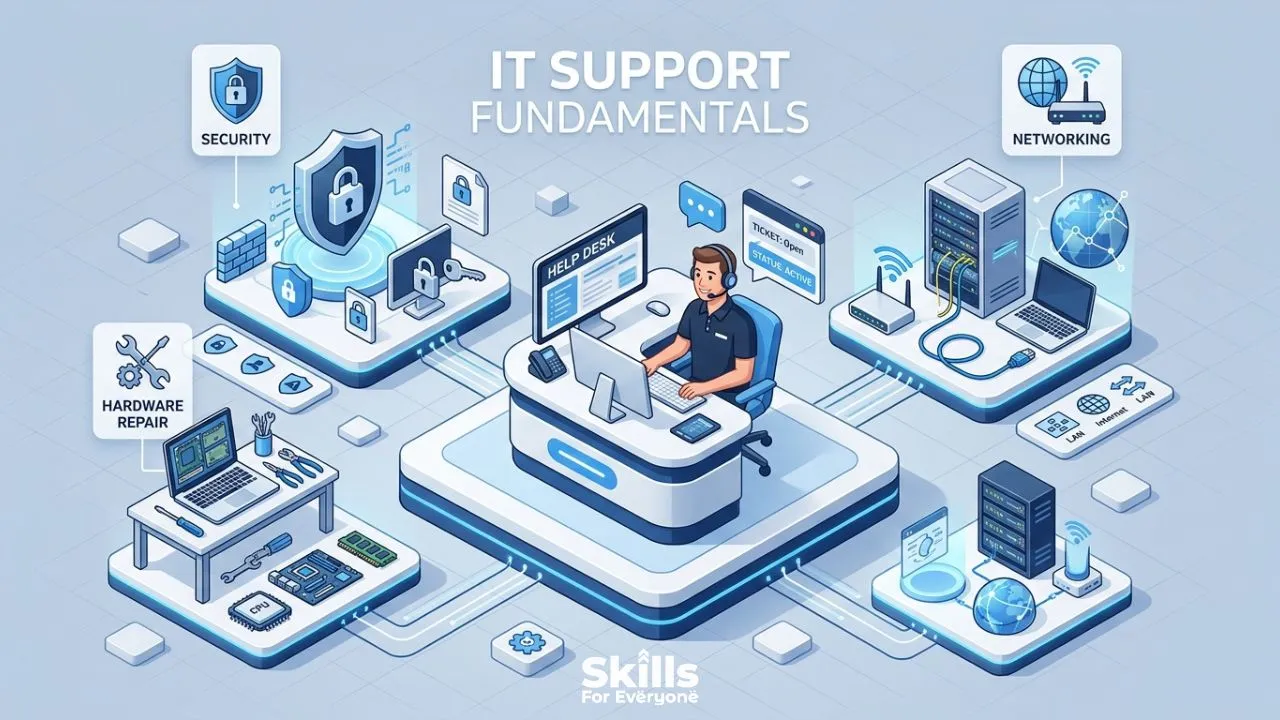
Every IT system, no matter how advanced, eventually encounters problems. A slow computer, a failed software update, a network outage, or a forgotten password can quickly disrupt business operations. When these issues arise, technical support professionals become the first line of defense.
While many people associate technical support with help desk roles, the reality is that technical support fundamentals are valuable across nearly every IT career path. Whether you plan to become a network engineer, cybersecurity analyst, cloud administrator, or DevOps professional, understanding how to diagnose and resolve technical issues is a skill that will serve you throughout your career.
In this guide, you'll learn the core technical support fundamentals, essential IT support skills, common mistakes to avoid, and practical ways to improve your troubleshooting abilities.
What Are Technical Support Fundamentals?
Technical support fundamentals are the essential knowledge, skills, and practices that allow IT professionals to diagnose problems, assist users, and keep systems running smoothly. Think of them as the toolkit every support technician carries, not just the hardware tools, but the mental models and communication habits that separate a great technician from a mediocre one.
These fundamentals span hardware, software, networking, security, and human communication. They apply whether you are working at a corporate help desk, supporting remote employees, or managing infrastructure for a small business.
Why Technical Support Skills Matter in Every IT Role
Here is something many people overlook: even senior engineers, system architects, and DevOps professionals rely on technical support basics every single day. Troubleshooting a misconfigured server, logging an incident, or explaining a system outage to a non-technical manager all draw from the same well as help desk support.
Strong IT support fundamentals also make you more employable. Employers consistently rank problem-solving ability, communication skills, and documentation habits as top priorities when hiring. A candidate who can troubleshoot methodically and explain a fix clearly is worth far more than one who can only solve problems in silence.
Essential Technical Support Fundamentals Every IT Professional Should Know
Operating System Basics
You do not need to memorize every registry key in Windows or every terminal command in Linux, but you do need a solid working knowledge of common operating systems. This means understanding file systems, user accounts, permissions, and startup processes.
In practice, this looks like knowing why a user's application keeps crashing after a Windows update, or recognizing that a macOS permission error means something very different from a Linux file ownership problem. Operating system knowledge is the lens through which almost every desktop support issue gets resolved.
Hardware Troubleshooting
Physical hardware problems are less common than software issues, but when they happen, they can be urgent. A failed hard drive, a faulty RAM stick, or an overheating CPU can bring work to a complete stop.
IT support fundamentals include being able to run hardware diagnostics, interpret error codes (including BSOD stop codes on Windows), and understand when a component needs replacing versus when a driver update is the real fix. Learning to think through the "is it hardware or software?" question methodically saves enormous time.
Networking Fundamentals
Most IT problems have a network component. Whether a user cannot access a shared drive, their video call keeps dropping, or a printer refuses to connect, networking knowledge is almost always relevant.
You should understand IP addressing (including the difference between static and DHCP), DNS resolution, subnets, and how to use basic tools like ping, traceroute, and nslookup. Even a basic grasp of firewalls and VPNs will put you ahead of many entry-level candidates.
Ticketing Systems
Every mature IT team uses a ticketing system, whether that is ServiceNow, Jira Service Management, Freshdesk, or something similar. Knowing how to log clear, detailed tickets is a fundamental skill that is often undervalued.
A well-written ticket includes the problem description, steps already taken, affected users, urgency level, and any relevant error messages or screenshots. Good ticket hygiene speeds up escalations, prevents duplicate work, and creates a searchable history of past issues.
Customer Communication Skills
This one surprises some newcomers to IT support: soft skills matter as much as technical skills, sometimes more. A user who does not understand what you are fixing will not trust the fix. A user who feels talked down to will escalate to your manager before you finish the sentence.
Effective customer communication in IT means translating technical language into plain terms, setting realistic expectations about resolution time, and following up proactively rather than waiting to be chased. The technicians who users specifically request by name are almost always the ones with strong communication habits.
Remote Support Tools
The modern help desk often operates across locations, time zones, and device types. Tools like TeamViewer, AnyDesk, Microsoft Quick Assist, and Splashtop are now standard in most support environments.
Beyond just knowing how to connect remotely, skilled technicians understand security implications: always confirming user consent before taking control, ending sessions promptly, and never storing remote access credentials insecurely.
Documentation Practices
If it is not documented, it did not happen. That might sound harsh, but in IT support it is practically true. Good documentation helps your teammates solve recurring problems without reinventing the wheel, helps you track patterns across multiple incidents, and protects your organization during audits.
Start small: write a brief resolution note for every ticket you close. Over time, this becomes institutional knowledge that new team members can actually use.
Security Awareness
Even if you are not a security specialist, every IT support professional handles sensitive data and has elevated system access. That makes security awareness a core IT support fundamental, not an optional extra.
This includes recognizing phishing attempts, enforcing multi-factor authentication, never sharing credentials, and knowing your organization's incident response process. When a user calls and says their email is sending messages they did not write, you need to know that is a potential account compromise, not just a software glitch.
Problem-Solving Methodology
The best IT troubleshooters are not the ones who guess quickly. They are the ones who think systematically. A reliable approach used in help desk support is:
Gather information before touching anything
Identify the most likely cause based on symptoms
Test one variable at a time
Document what you tried and what happened
Escalate when appropriate, with full context
This methodology works whether you are fixing a printer or diagnosing a network outage. It keeps you from making problems worse and makes your escalations far more effective.
Technical Support Skills and Their Importance
Skill | Why It Matters | Real-World Example |
Operating System Knowledge | Speeds up software and configuration troubleshooting | Identifying that a Windows 11 update broke a legacy application's compatibility settings |
Hardware Diagnostics | Prevents misdiagnosis and unnecessary replacements | Running MemTest86 to confirm RAM failure before ordering a new laptop |
Networking Basics | Solves the majority of connectivity issues | Using nslookup to find that a DNS record is pointing to the wrong server |
Ticketing and Documentation | Reduces repeat incidents and improves team efficiency | A new technician resolving an issue in 10 minutes using a past ticket's resolution notes |
Customer Communication | Builds trust and reduces escalations | Explaining a 2-hour outage to a non-technical manager without causing panic |
Security Awareness | Protects the organization and the user | Catching a phishing email before a user hands over their credentials |
Remote Support Tools | Enables fast resolution without physical presence | Fixing a broken Outlook profile for a remote employee in another country |
Problem-Solving Framework | Prevents guesswork-driven troubleshooting | Methodically isolating a VPN issue to a specific subnet rather than rebuilding the whole connection |
Common Technical Support Mistakes to Avoid
Even experienced technicians fall into these traps:
Jumping to solutions before fully understanding the problem. Ask at least two or three clarifying questions before you start clicking.
Forgetting to check the obvious things first. A monitor that "won't turn on" is often just unplugged.
Closing tickets without confirming the user is satisfied. A fix that works for you may not work for the user in their actual workflow.
Skipping documentation when you are busy. This is exactly when documentation matters most.
Taking on issues outside your access or expertise without escalating. Knowing when to escalate is a skill, not a weakness.
How to Improve Your Technical Support Skills
Skill-building in IT support is more practical than theoretical. Some approaches that actually work:
Set up a home lab. Even a few old machines running virtual environments will give you hands-on experience with operating systems, networking, and troubleshooting that no textbook can replicate.
Pursue entry-level certifications. CompTIA A+, Network+, and Google's IT Support Professional Certificate are well-recognized starting points that map directly to IT troubleshooting fundamentals.
Study your ticketing history. Go back through resolved tickets and look for patterns. Repeated incidents point to underlying problems worth solving permanently.
Volunteer for escalations. When a senior technician takes over a ticket, ask if you can observe. Watching how experienced engineers approach a complex problem teaches more than most formal training.
Practice explaining things simply. Find a friend or family member with no IT background and explain what you did to fix something today. If they understand it, you are communicating well.
Career Benefits of Strong Technical Support Knowledge
A strong grounding in IT support fundamentals opens more doors than people realize. Help desk experience gives you direct exposure to a wider range of systems, users, and problem types than almost any other entry-level IT role.
Many system administrators, network engineers, and even CIOs started their careers in technical support. The problem-solving habits, communication skills, and broad technical exposure you build at a help desk make you a more versatile professional at every stage of your career.
It also makes you better to work with. Senior engineers who remember their support roots tend to write clearer documentation, communicate more effectively with end users, and approach complex problems with more patience and structure.
Frequently Asked Questions
What are the most important technical support fundamentals for beginners?
For someone just starting out, the highest-leverage fundamentals are operating system basics, a structured troubleshooting methodology, clear communication, and solid ticket documentation habits. Technical knowledge can be deepened over time, but these habits are easier to build early than to correct later.
Do I need a degree to work in IT support?
No. Many IT support professionals enter the field through certifications, bootcamps, or self-study. CompTIA A+ is widely recognized as an industry-standard entry credential, and employers often value hands-on experience and demonstrable skills equally to formal education.
How is technical support different from IT support engineering?
The terms are often used interchangeably, but "IT support engineer" typically implies a higher level of technical depth, involving more complex infrastructure, scripting, and system administration tasks. Both roles draw from the same technical support fundamentals; the engineer role builds additional layers on top of them.
What is the best way to handle a user who is frustrated or upset?
Acknowledge the impact of the problem before jumping into technical questions. Something as simple as "I can see this has been disruptive, let us get this sorted for you" goes a long way. Stay calm, set a clear expectation for resolution time, and follow through.
How important is security knowledge for IT support roles?
Very important, and increasingly so. Support technicians often have elevated system access and handle sensitive user data. Understanding phishing, password hygiene, MFA, and basic incident response is no longer optional in most organizations. It is a core part of the job.
Conclusion
Technical support fundamentals are not just entry-level knowledge you eventually leave behind. They are the professional habits, technical frameworks, and communication instincts that shape how you solve problems for the rest of your IT career.
Whether you are starting your first help desk role or looking to sharpen skills you have had for years, investing in these fundamentals pays dividends across every IT path you might take. The technicians who go farthest are not always the ones with the most specialized knowledge; they are the ones who can think clearly under pressure, communicate with anyone, and document what they know so others can build on it.
Start where you are, practice what you can, and treat every ticket as a learning opportunity. The fundamentals are called fundamentals for a reason: they never stop mattering.